
 CARGO AND MERCHANT SHIPPING
Cargo Ship Antenna: Marine 4G/5G Antennas for Cargo and Merchant Vessels
A cargo ship antenna keeps operational data, fleet management and crew internet connected on cargo ships, container vessels and coastal freighters. On routes near the coast and in port, 4G/5G provides a high-capacity, cost-effective link compared with satellite.
Connectivity Needs on Cargo Ships
On commercial ships, cellular connectivity is a layer that complements the satellite link and serves as the main data path near the coast.
Operational data
Fleet management, machinery monitoring, weather routing, port documents and navigation updates.
Crew internet
Crew contact with their families on long voyages. The crew network should be kept separate from the operations network.
Together with satellite
On coastal routes and in port, traffic is routed to 4G/5G; on the open sea, to satellite, which lowers satellite data costs.
Steel structure and cargo
Container stacks and the steel superstructure block the signal. The antenna location must be chosen according to the ship and cargo layout.
Antenna by Router Port Count
The antenna must match the total number of cellular ports on the router. Commercial ships usually use more than one modem for operations and crew traffic.

4 ports
Single modem, 4×4 MIMO. Small and medium coastal freighters.
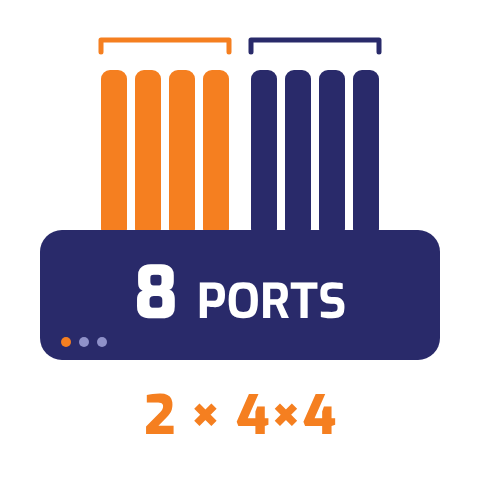
8 ports
Dual modem (2 × 4×4). Two operators; separating operations and crew links.
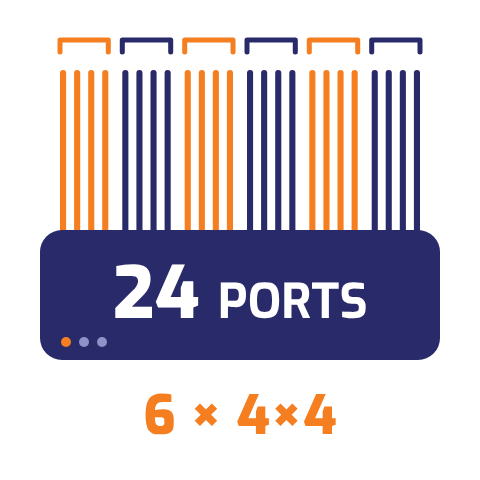
16–24 ports
Multi-modem (4–6 × 4×4). High capacity and long range on large ships.
Where Will the Router Be: Technical Room or Inside the Antenna?
On cargo ships the antenna sits high on the bridge or mast, often far from the technical room. The router's location therefore determines cable length and RF loss, and is decided before the antenna model.
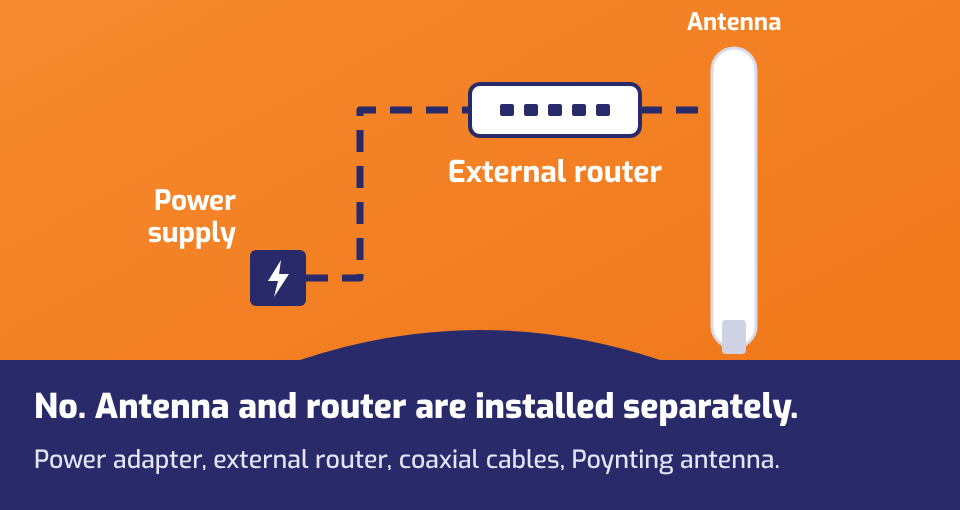
Router in the technical room
Modems are managed centrally indoors, with easy maintenance and SIM access during the voyage. Each modem needs its own coaxial cable group, so cable length and loss are the critical part of the design; keep the route short and use low-loss cable. Suitable antennas: Narwhal OMNI-0904/0914 (one per modem), WaveHunter.
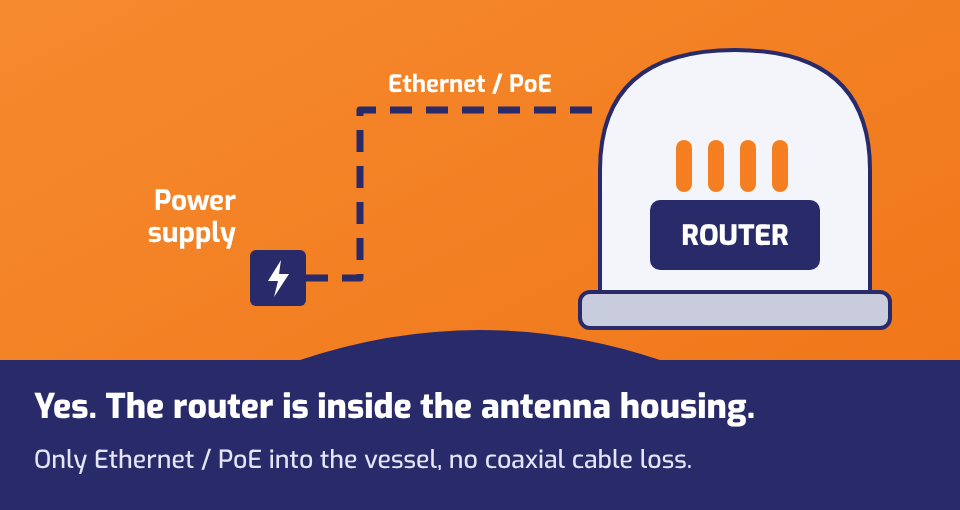
Router inside the antenna housing
On large ships with a long cable run between the bridge and the technical room, the routers go into the antenna housing; only Ethernet / PoE runs inside and RF cable loss is practically eliminated. Remote SIM management becomes important. Suitable antennas: RIPPLE-8, RIPPLE-16.
Recommended Cargo Ship Antennas
Values are taken from the manufacturer's datasheets.
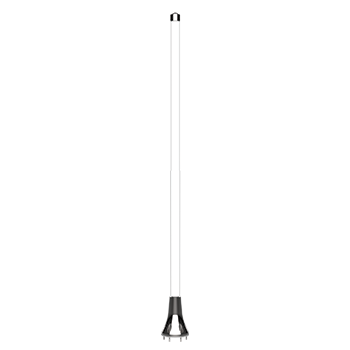
OMNI-0914 (Narwhal)
- Frequency617–4200 MHz
- Gain8 dBi (LTE)
- Cellular4 ports · 4×4
- UseOne antenna per modem
OMNI-0904 (Narwhal)
- Frequency617–4200 MHz
- Gain3.5 / 8 dBi (LTE)
- Cellular4 ports · 4×4
- UseOne antenna per modem
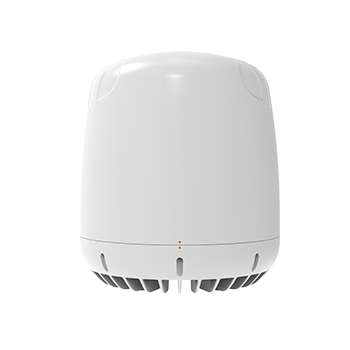
WaveHunter
- Frequency617–4200 MHz
- Gain11 dBi (LTE)
- Cellular6 × 4×4 (24 ports)
- Extra portsWi-Fi 7.5 dBi · GNSS
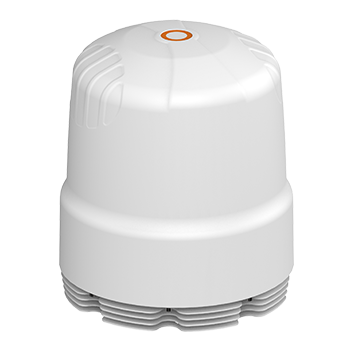
RIPPLE-8
- Frequency617–7200 MHz
- Gain9.5 dBi (LTE)
- Cellular8 ports
- Extra portsWi-Fi 8.5 dBi · GNSS
RIPPLE-16
- Frequency617–7200 MHz
- Gain9.5 dBi (LTE)
- Cellular16 ports
- Extra portsWi-Fi 8.5 dBi · GNSS

OMNI-494 · OMNI-498
- Frequency2400–7200 MHz
- Gain9.8 dBi (Wi-Fi)
- ConfigurationOMNI-498 2×2 · OMNI-494 4×4
- UsePort Wi-Fi, Wi-Fi WAN
Which Cargo Ship Antenna for Which Vessel?
Small and medium coastal freighters
Single or dual modem, router in the technical room. One high-gain 4×4 antenna per modem.
OMNI-0914 · OMNI-0904Large ships with a long cable route
If the distance between the bridge and the technical room is long, the router goes into the antenna housing; only Ethernet / PoE runs inside.
RIPPLE-8 · RIPPLE-16Routes far from shore, high capacity
Reaching distant base stations with a 6-direction 4×4 structure; high capacity in 6-modem systems.
WaveHunterWi-Fi in port
To use the port or terminal Wi-Fi network as an internet source, or as a backup to the cellular link.
OMNI-494 · OMNI-498Cargo Ship Antenna Comparison
| Model | Frequency | Gain (LTE) | Cellular ports | Wi-Fi / GNSS | Router |
|---|---|---|---|---|---|
| OMNI-0904 | 617–4200 MHz | 3.5 / 8 dBi | 4 (4×4) | – | External |
| OMNI-0914 | 617–4200 MHz | 8 dBi | 4 (4×4) | – | External |
| RIPPLE-8 | 617–7200 MHz | 9.5 dBi | 8 | Yes | Inside the antenna |
| RIPPLE-16 | 617–7200 MHz | 9.5 dBi | 16 | Yes | Inside the antenna |
| WaveHunter | 617–4200 MHz | 11 dBi | 24 (6 × 4×4) | Yes | External |
Antenna Placement on Commercial Ships
- Mount the antenna at the highest point, such as the bridge roof or mast, where it will not be shadowed by cargo or superstructure.
- On container ships the stack height changes, so the antenna must stay above the top container tier when fully loaded.
- Position the antennas outside the radar beam and away from VHF/MF/HF antennas and satellite terminals.
- When a separate antenna is used per modem, leave sufficient separation between antennas and maintain isolation.
- Lightning arrestors on all antenna lines are recommended.
- More details: MIMO isolation · marine antenna installation · signal range at sea
Other Commercial Marine Applications
For all yacht and commercial vessel applications, see the marine antenna selection guide.




Frequently Asked Questions About Cargo Ship Antennas
Why does a ship with satellite connectivity need 4G/5G?
Where should the antenna be mounted on a container ship?
Should crew and operations internet share the same link?
How far from shore does a ship antenna work?
Let's plan the connectivity setup for your ship
Share your ship type, route and operating area, satellite infrastructure and modem requirements, and we will define the antenna and router setup for you.